A suite of Python desktop tools built to replace entirely manual administrative workflows — parsing hundreds of PDF attendance sheets with a multi-mode OCR pipeline, processing multi-quarter enrollment data through pandas, generating styled Excel output, and dispatching email drafts directly through Outlook via the Windows COM API.
FERPA Notice: These tools are used in a live academic environment. Specific workflow details, student data structures, and internal process logic are intentionally redacted to comply with FERPA. Screenshots show the application UI with all sensitive data omitted.
What it does
Turning hours of manual work into seconds
Multi-Mode OCR Pipeline
Combines native PDF text extraction (PyMuPDF) with multi-PSM Tesseract OCR at 5x zoom — automatically selecting the mode that yields the most section matches per page.
Regex Extraction & Validation
11 regex patterns match section IDs across every OCR output format variation. Each match is normalized (dash variants, spacing) and validated against a prefix allowlist before display.
Excel Auto-Fill Integration
A companion script reads processed PDFs and automatically writes attendance status into the corresponding rows and date columns of the Excel tracking workbook using openpyxl.
Multi-Quarter Enrollment Processing
Accepts per-quarter or combined multi-quarter Excel input, auto-splits by TermID, processes each term independently, and outputs one styled Excel workbook per quarter.
Windows COM Outlook Integration
Uses win32com to create a pre-populated Outlook email draft with the output files attached via CF_HDROP clipboard — ready to send with one click.
FERPA-Compliant Design
All tools run locally, handle data only within authorized staff workflows, and expose no student records externally. Specific data structures and identifiers are redacted in this showcase.
Tool 1
Attendance Sheet Tracker
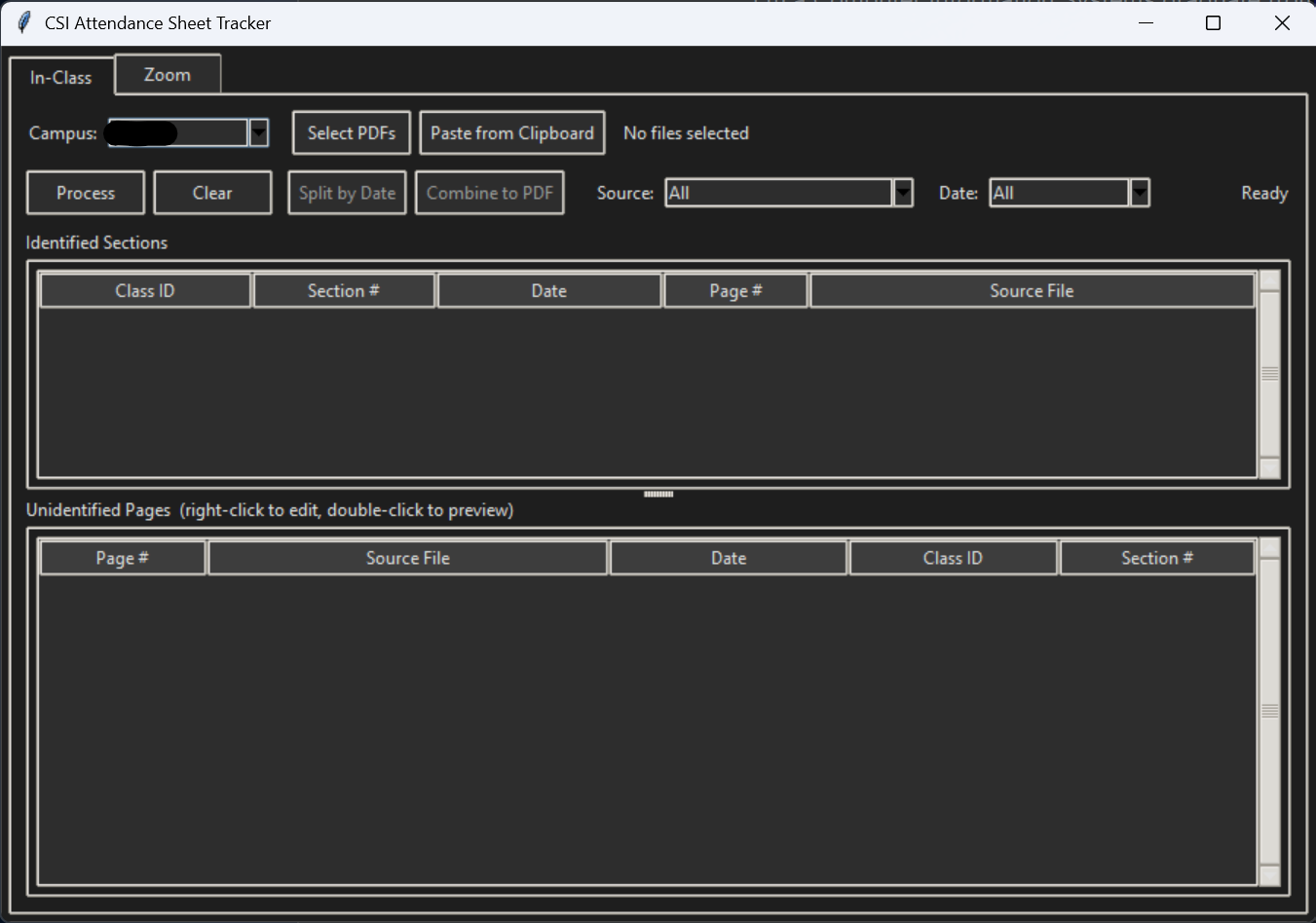
A Tkinter desktop application that processes PDF attendance sheets in bulk. It first attempts native text extraction via PyMuPDF, then falls back to multi-PSM Tesseract OCR at 5x zoom if the page text is empty or a placeholder — automatically selecting the PSM mode (3, 6, or 11) that yields the most section-ID matches per page.
Separate tabs for In-Class and Zoom attendance formats
Import via file browser or paste file paths directly from clipboard using PowerShell Get-Clipboard
11 regex patterns extract section IDs across all OCR output variations; matches are normalized (en-dash, em-dash, period → hyphen) and deduplicated by class/section/date
Validated results show Class ID, Section #, Date, Page #, and Source File in a sortable dark-mode table
Unidentified Pages panel for manual review — right-click to edit, double-click to preview
Companion FillAttendanceSheetTracker script reads processed PDFs and auto-fills the Excel attendance tracker using openpyxl
Batch scripts consolidate all campus PDFs into a single report or output per-file results to structured folders
Tool 2
Seat Counts Processor
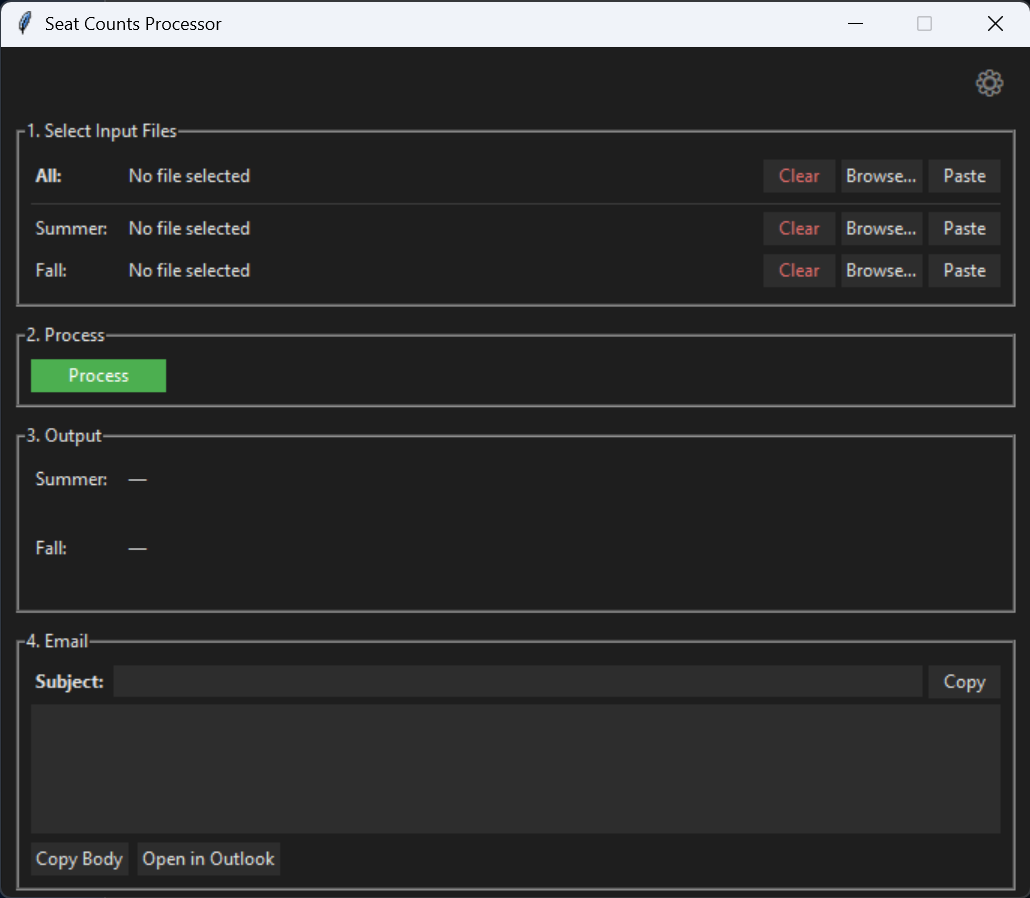
A dark-themed Tkinter application that replaces a fully manual workflow of copying data, splitting by program category, formatting, and emailing. Accepts per-quarter or combined multi-quarter Excel input, processes each quarter independently through pandas, and outputs a styled Excel workbook per term with frozen headers, auto-width columns, and correct numeric formatting.
Step 1 — Select input files per quarter (All, Summer, Fall) via Browse or Ctrl+V paste; combined input is auto-split by TermID using pandas groupby
Step 2 — pandas processing: drops unused columns, formats dates, splits rows into program category sheets, sorts by campus/course/section, and applies openpyxl styling
Step 3 — Output files are copied to the Windows clipboard as CF_HDROP (native file attachment format) for paste-as-attachment in any app
Step 4 — win32com creates a pre-populated Outlook draft with subject, HTML body, and attachments ready to send
A Settings modal edits per-quarter configuration (enabled state, email mode, term IDs, program toggles) and persists to config.json
Column validation runs on every file load, warning on missing or unexpected input columns before processing begins