Full-Stack Web Application
A comprehensive Django-based document management system built for educational institutions to manage student records, files, and program tracking — with role-based access control, automated backups, external database sync, and a fully customizable interface.
What it does
Upload, organize, and search student documents with automated naming, versioning, and folder structure organized by student and term.
Full student record management with multi-program support, flexible term structures, and automatic student-term assignment tracking.
Granular permissions for Admin, Supervisor, and Staff roles. Full audit logging of every user action for compliance and accountability.
Connect to external SQLite, PostgreSQL, or MySQL databases to synchronize student, program, and term data with configurable update modes and dry-run testing.
Scheduled daily backups of database and media files with configurable retention policies, integrity verification, and one-click restore.
A custom two-mode AI system automatically detects document types on upload using filename pattern-matching and content analysis, with confidence scores and batch auto-categorization.
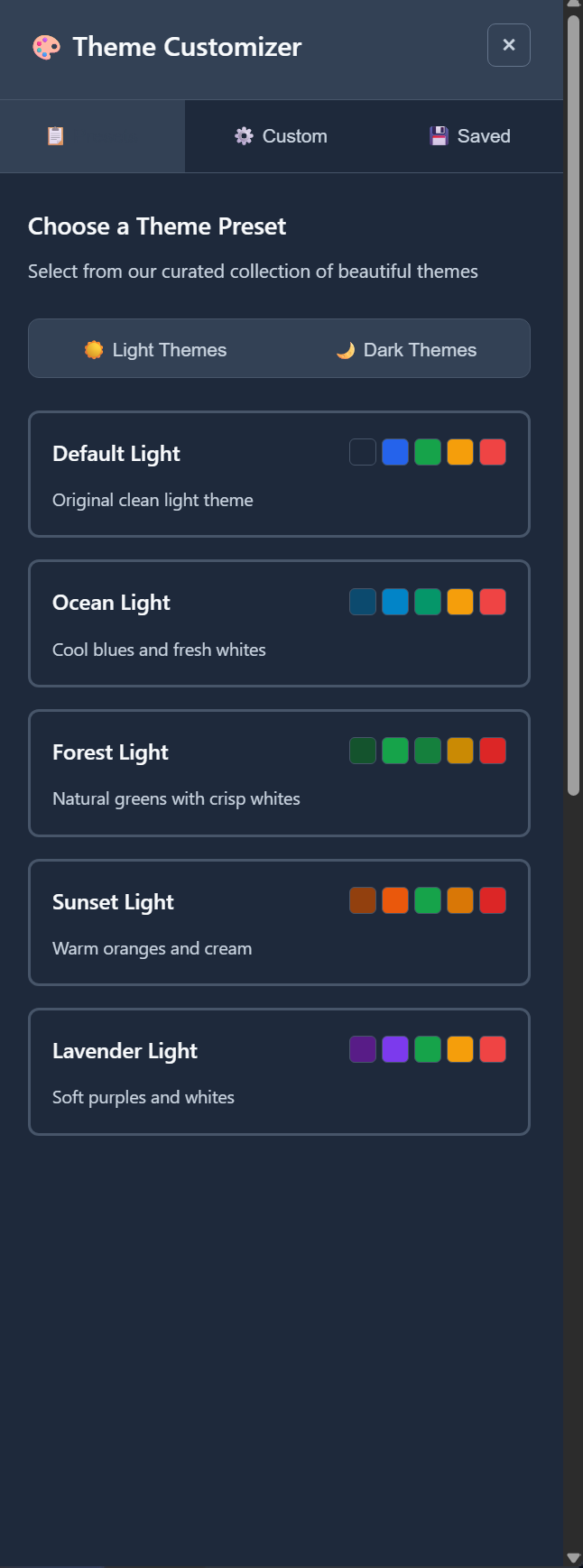
Multiple built-in light and dark theme presets (Default, Ocean, Forest, Sunset, Lavender) with support for custom themes — configurable per institution.
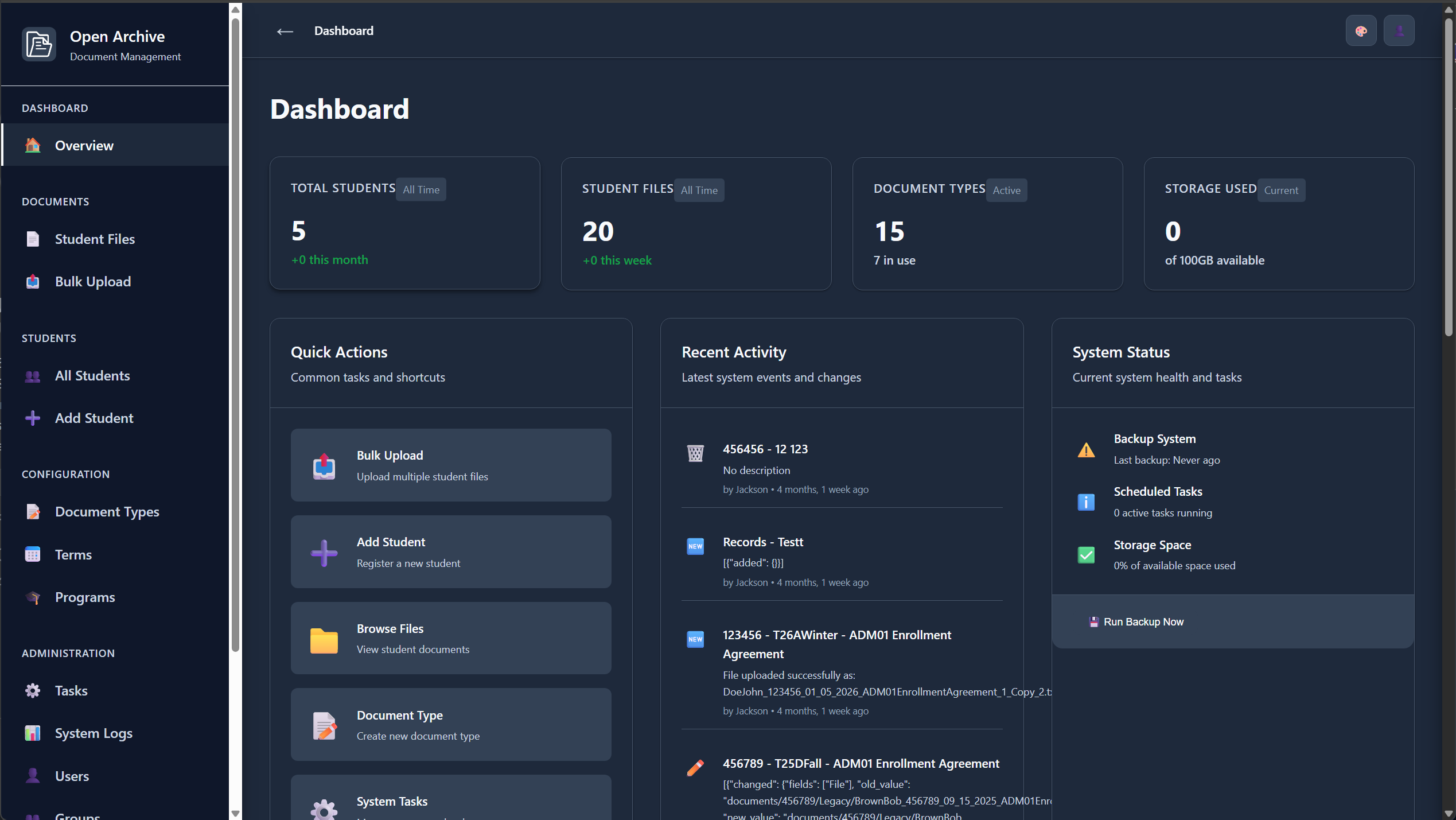
Dashboard
The main dashboard surfaces the most important system metrics in one place. Staff can immediately see total students, file counts, active document types, and storage usage — all updated in real time.
Students
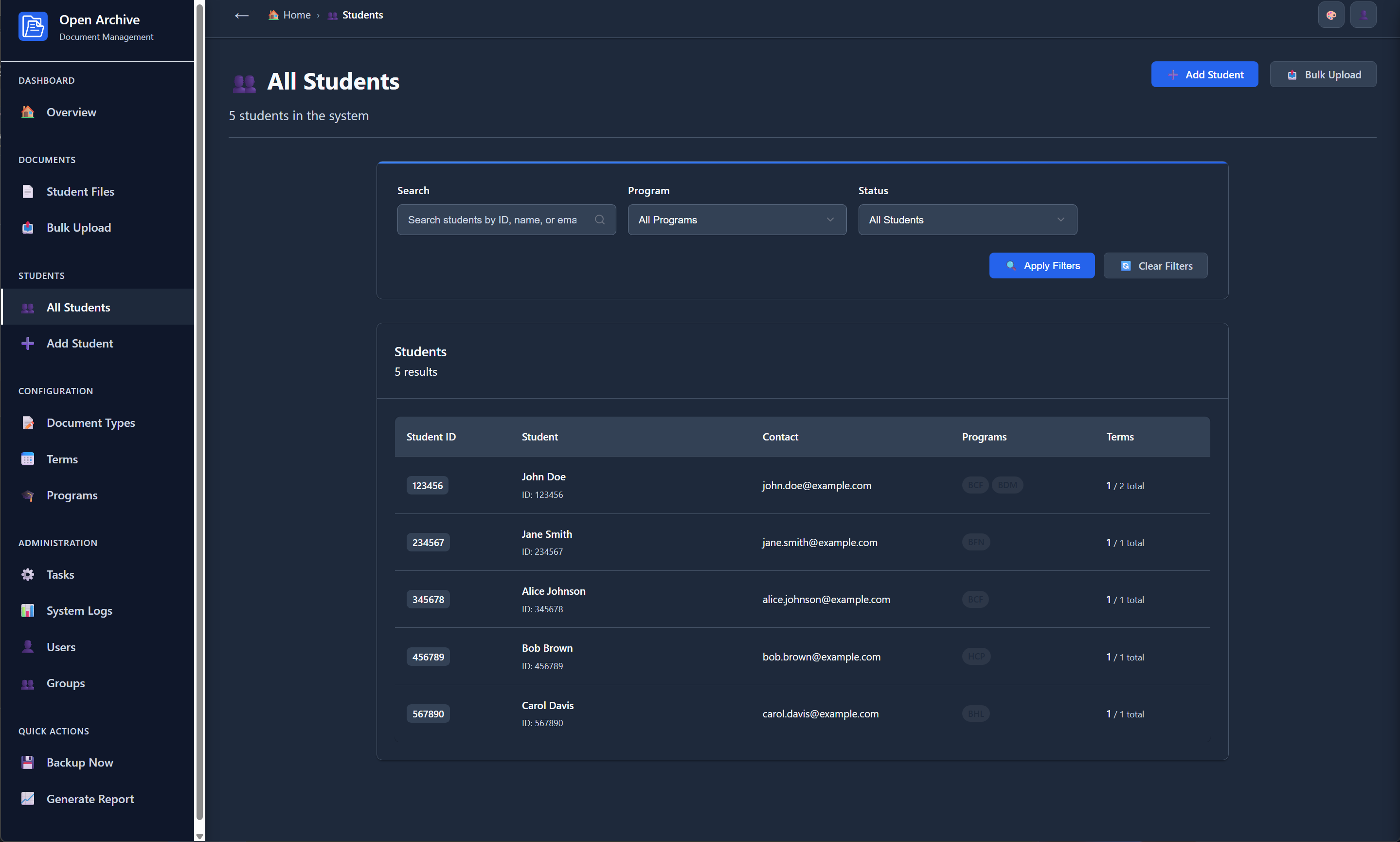
The Students screen provides a full searchable, filterable roster of all enrolled students. Each row shows the student's unique ID, name, contact info, active programs, and term counts.
Student Files — Folder View
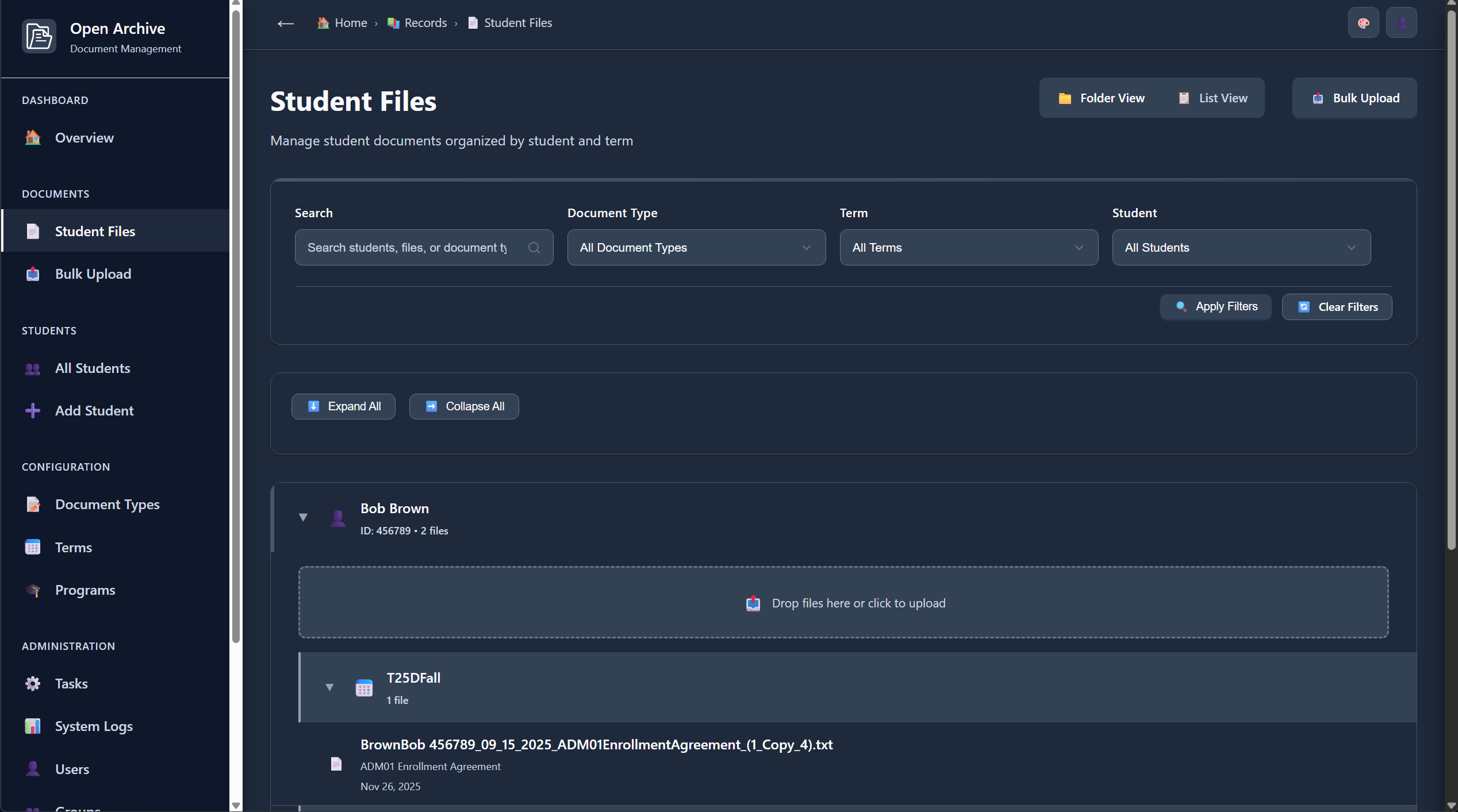
Documents are organized in a collapsible tree: student → term → files. Staff can drag and drop files directly into the correct student-term bucket, with automated conflict-safe file naming applied on upload.
Student Files — List View
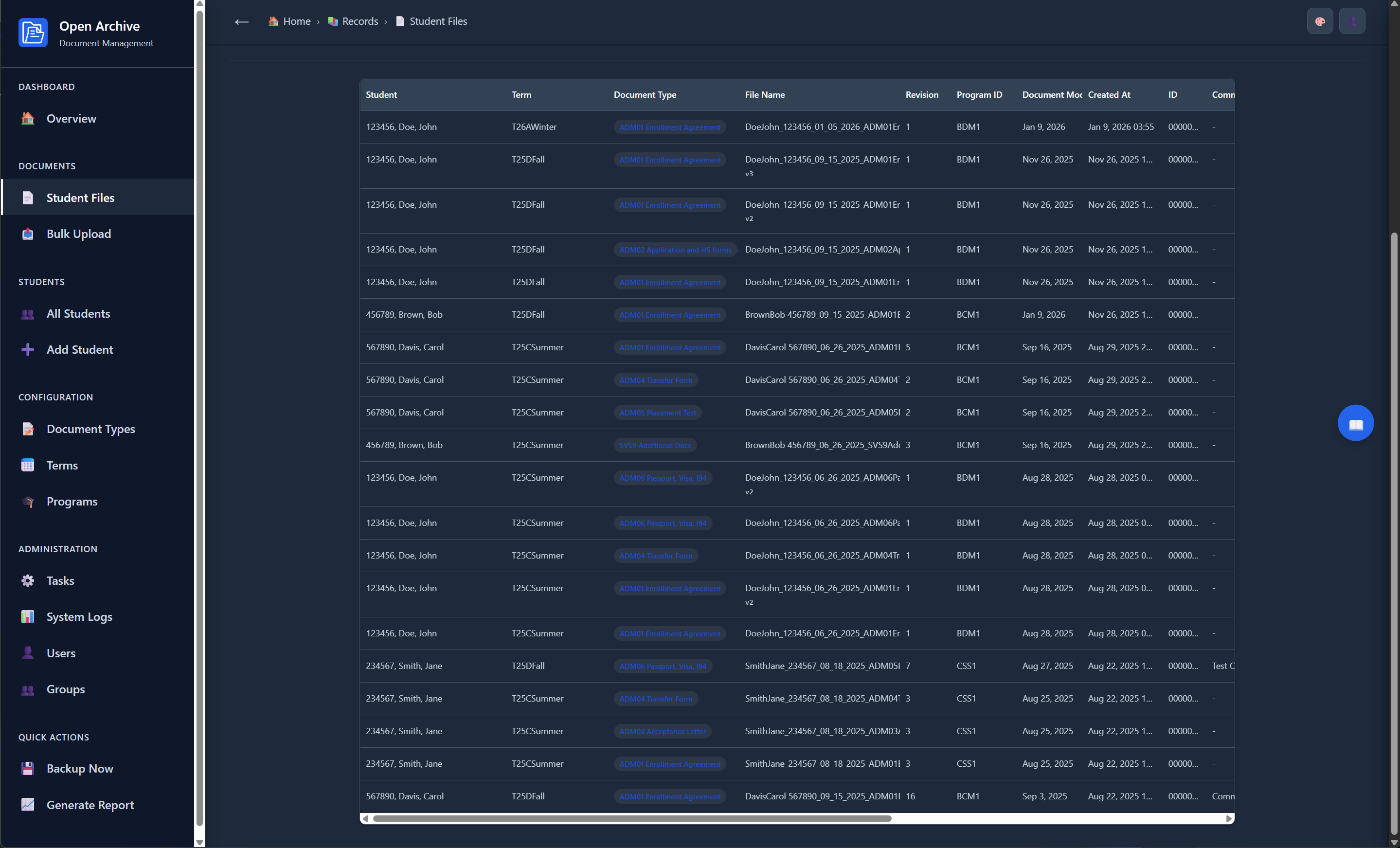
The list view exposes the complete data model — every file in the system shown as a flat, sortable table with student, term, document type, filename, revision number, program ID, creation date, and document modified date all visible at once.
Bulk Upload
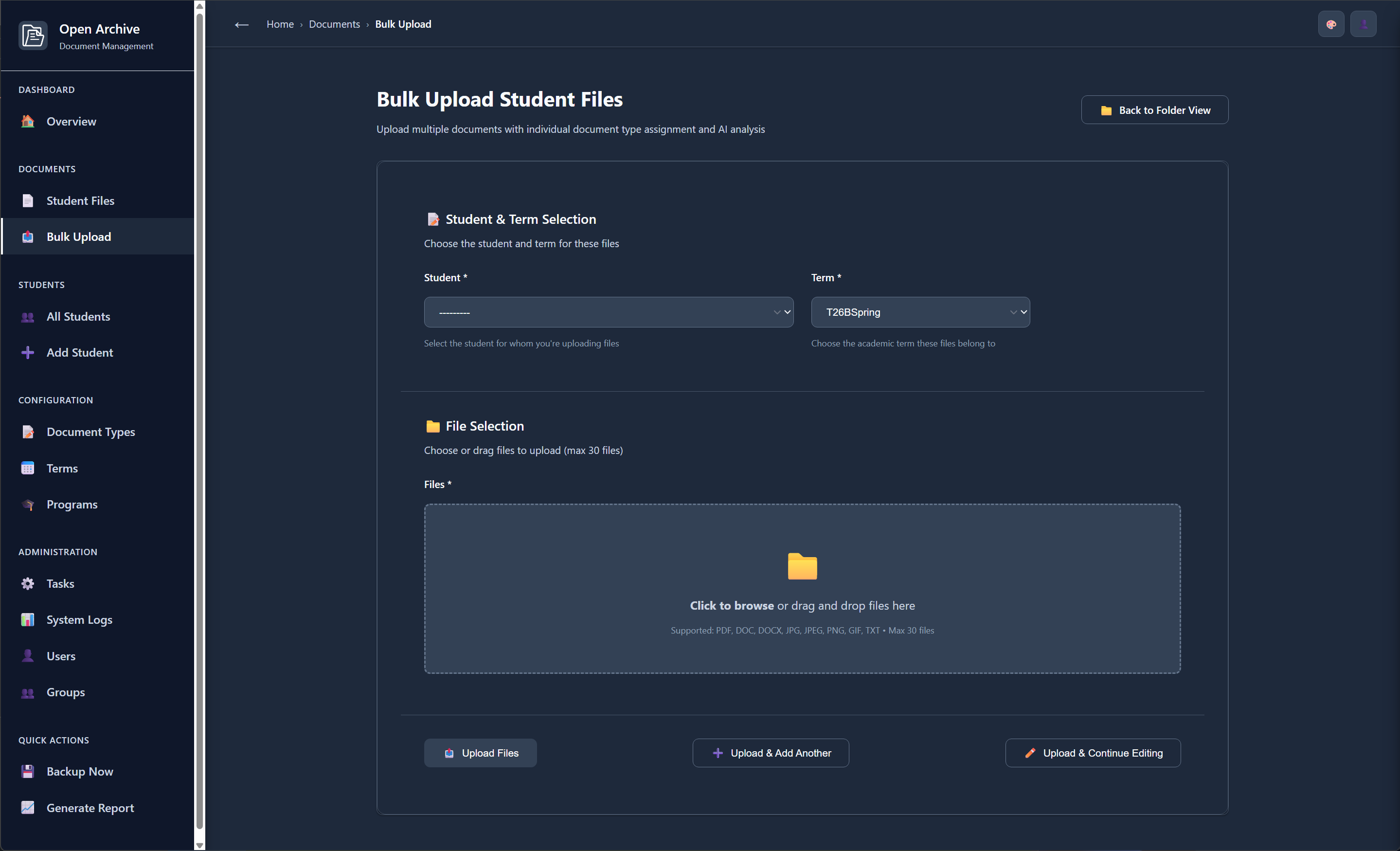
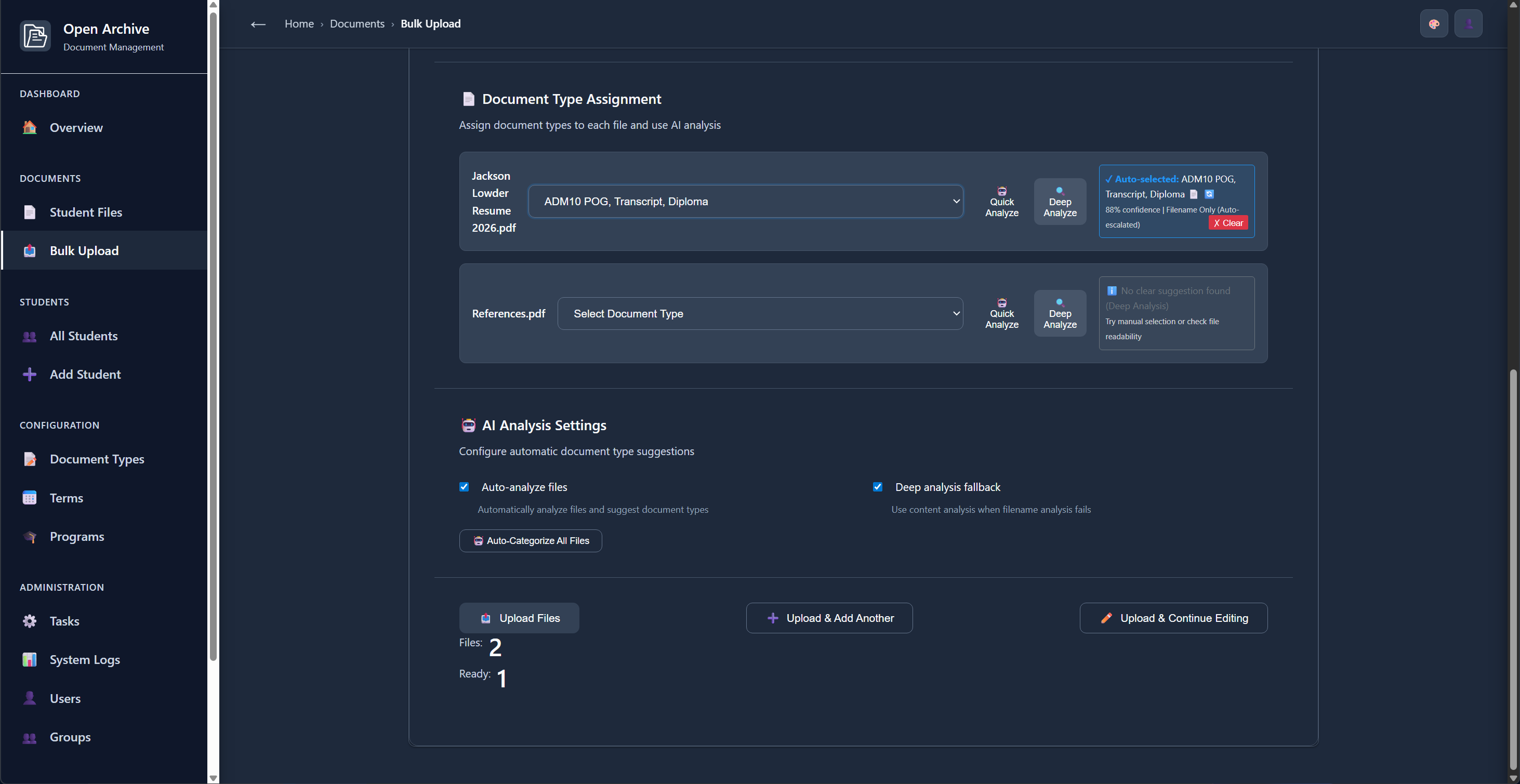
The Bulk Upload workflow lets staff select a student and academic term, then upload up to 30 documents in one pass. The system handles naming, categorization, and organization automatically after submission.
AI Document Analysis
Open Archive includes a custom AI analysis system that learns from uploaded filenames and file content to automatically detect and assign the correct document type — distinguishing between a Passport, Visa, acceptance letter, enrollment agreement, transcript, and more without staff intervention.
System Activity Log
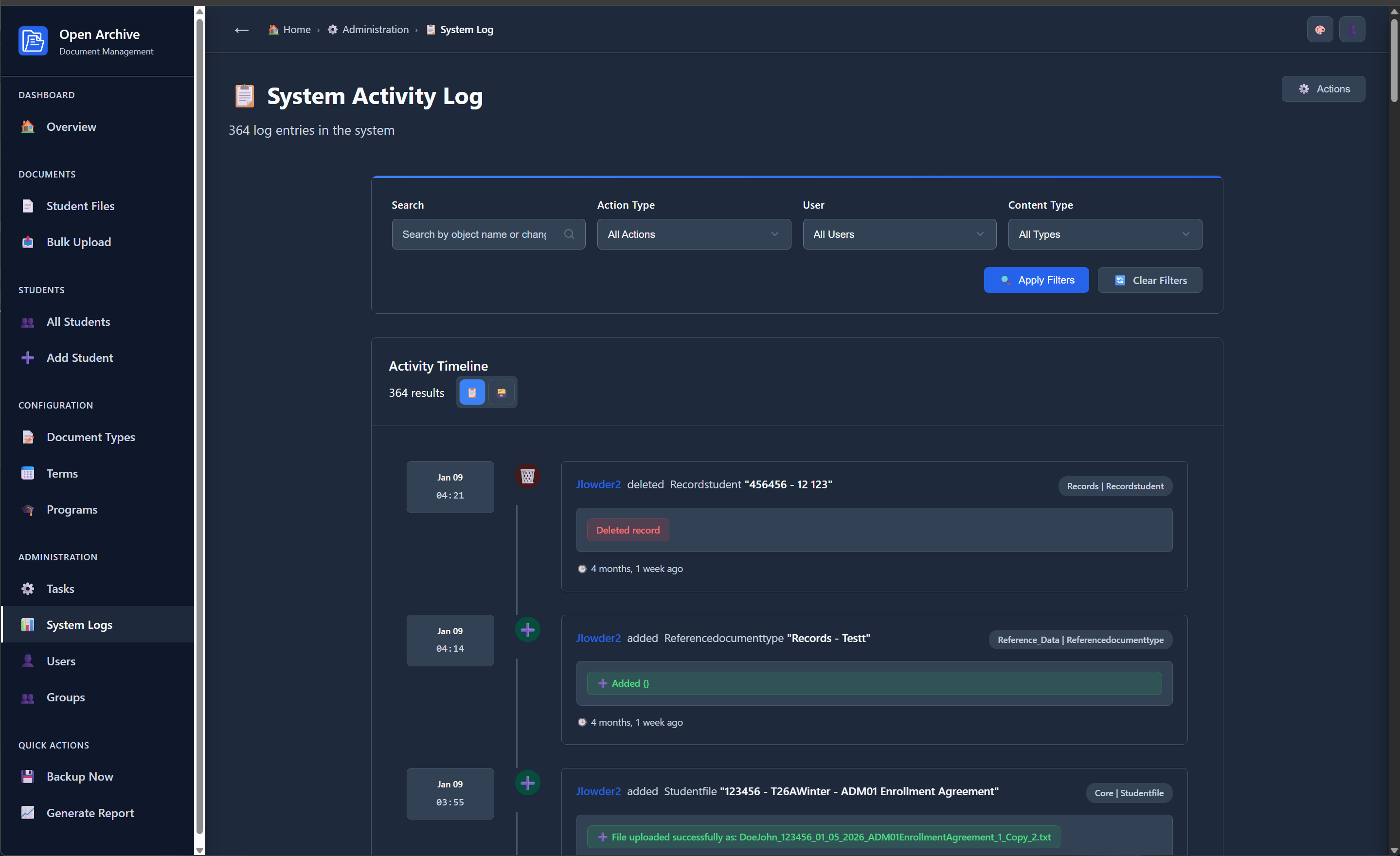
Every create, update, and delete is recorded in a chronological activity timeline. The log is searchable by object name, action type, user, and content type — providing the full accountability trail required for FERPA compliance.
Task Management
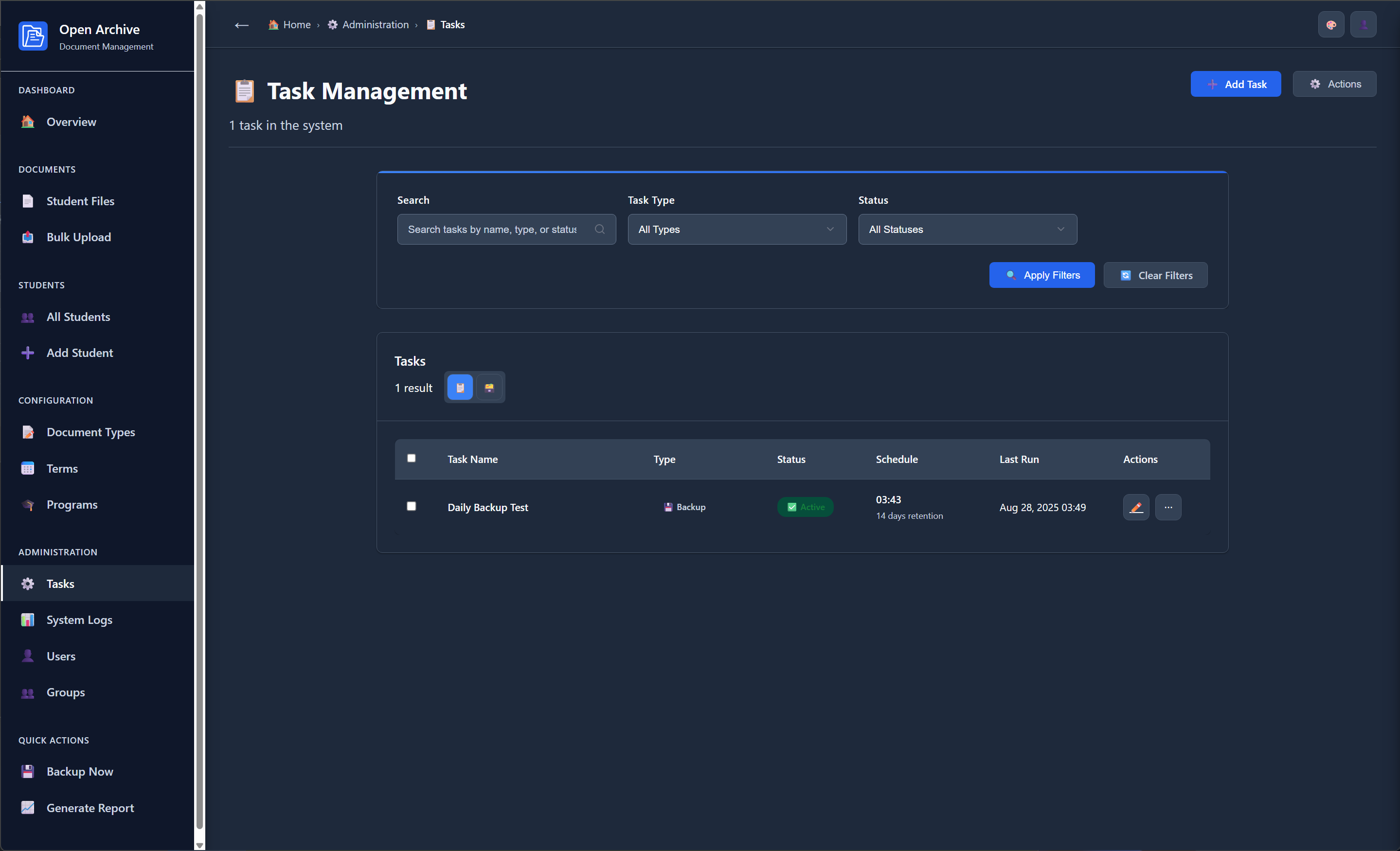
The Task Management screen provides a unified interface for configuring and monitoring every automated operation — backups, external data synchronization, and custom tasks — all from one place without touching the server.
Theme Customizer
Open Archive ships with a full theme system. Users can switch between curated light and dark presets — Default, Ocean, Forest, Sunset, Lavender — or build fully custom themes to match an institution's brand colors. Saved themes persist per user.
Technology
Backend
Database
Frontend
AI & Analysis
Security & Ops